Digital Certificates on LetterSG
Digital Certificates on LetterSG
- Your digital certificate will be issued to you via LetterSG.
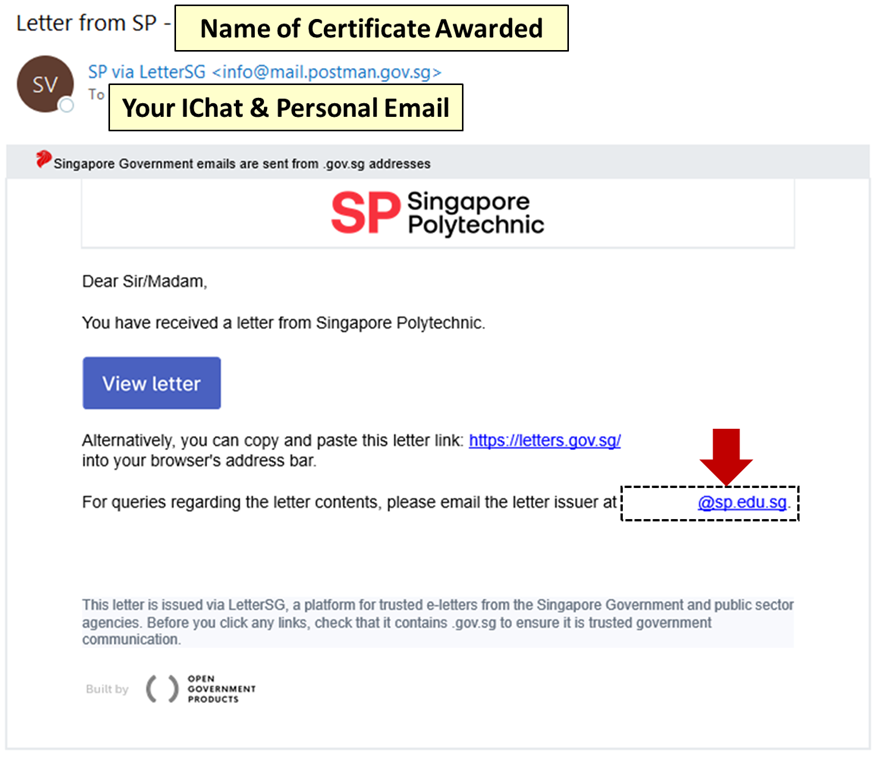
- Upon issuance of your digital certificate, you will receive a copy of the email below at your IChat and registered personal email with SP.
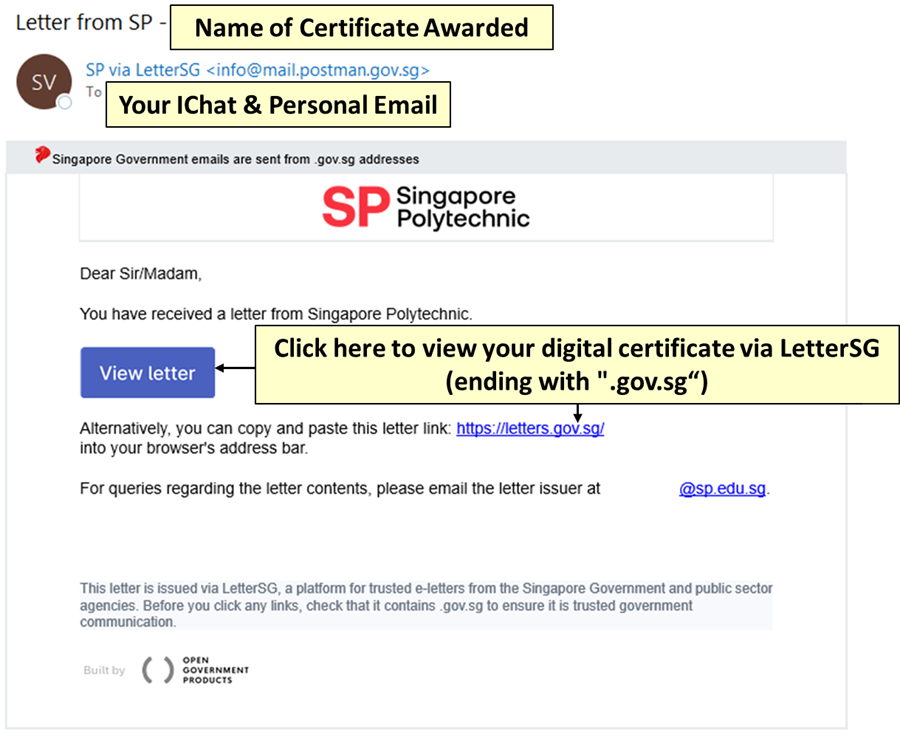
- To access your digital certificate, click on the “View letter” button or the link ending with “.gov.sg” in the email.
- Digital certificates issued via LetterSG do not expire and will always remain accessible.
- To maintain access after graduation, you may:
- Add the digital certificate to your LinkedIn Profile (refer to this link).
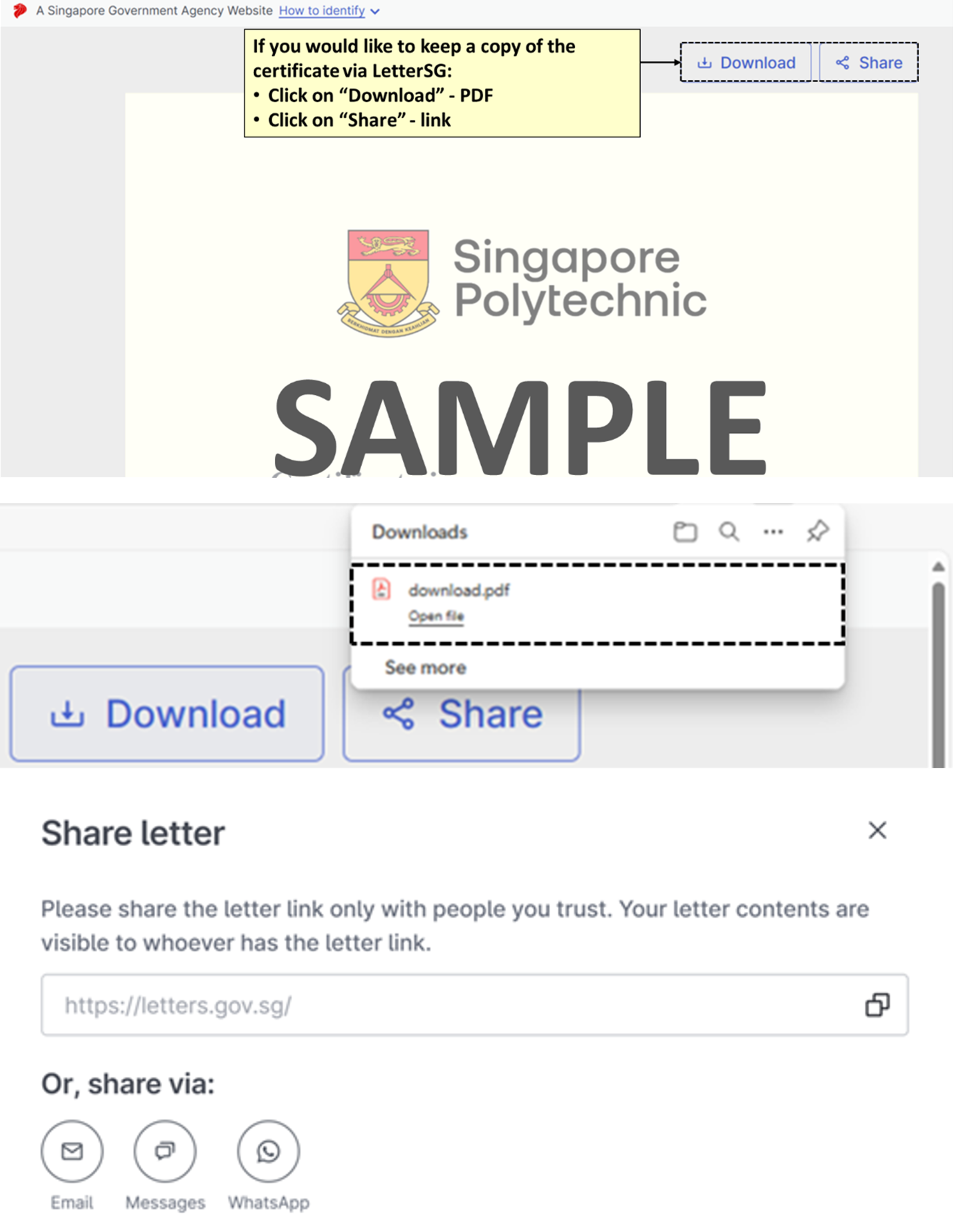
- Download a PDF copy via LetterSG (refer to this link and screenshots below).
- Share the certificate link with yourself for safekeeping (refer to screenshots below).
- Download and save a copy of the notification email.
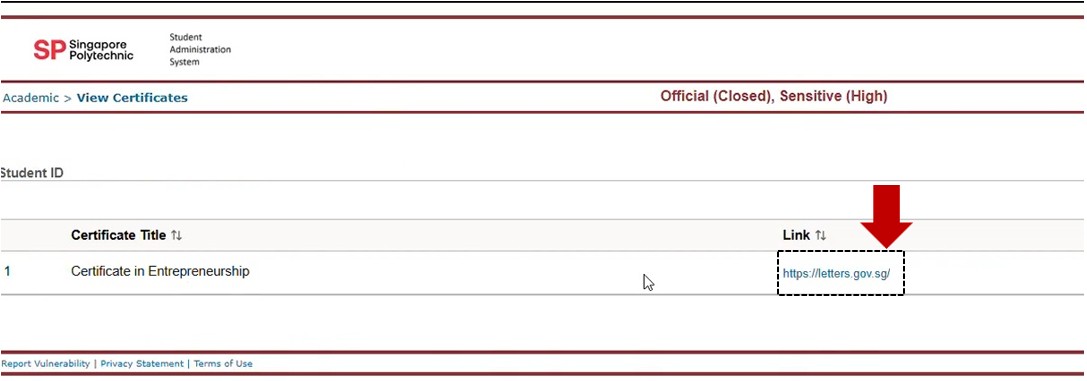
- If you have lost your digital certificate, you can retrieve it using the appropriate link below:
- You may share either the digital certificate link or the PDF copy with prospective employers or universities.
- Recipients can verify the digital certificate using these methods:
- Link verification: If the link is altered, the .gov.sg site will show “Certificate not found.”
- PDF verification: The verification link in the PDF footer will confirm authenticity.
- For assistance with your digital certificate, please contact the certificate issuer indicated in the email you received.